58th Floor: before you create
- Photos
- 2 photos
- Length
- 5, 8, 10, 12 or 15 seconds
- Best for
- Friends, couples and two-person rap exchanges
From your photos to this performance
Prepare two separate portraits
Upload one clear photo per performer. Keep each face unobstructed and use photos you have permission to animate. The first photo is A, the second is B.
Choose a topic and clip length
Pick 5, 8, 10, 12 or 15 seconds. Ten seconds gives room for both solo close-ups and a wide ending; the five-second cut uses a simpler exchange. Add a short original audio topic if you like.
Review both performers
Choose your model, ratio and resolution, then review the credit quote. After generation, check each solo shot, the verse handoff and the full-body ending before sharing.
Theme names describe a visual direction. Generated audio is original; a named song recording, exact lyrics or an identical performance are not included.
Create with this themeThe reference behind the scene
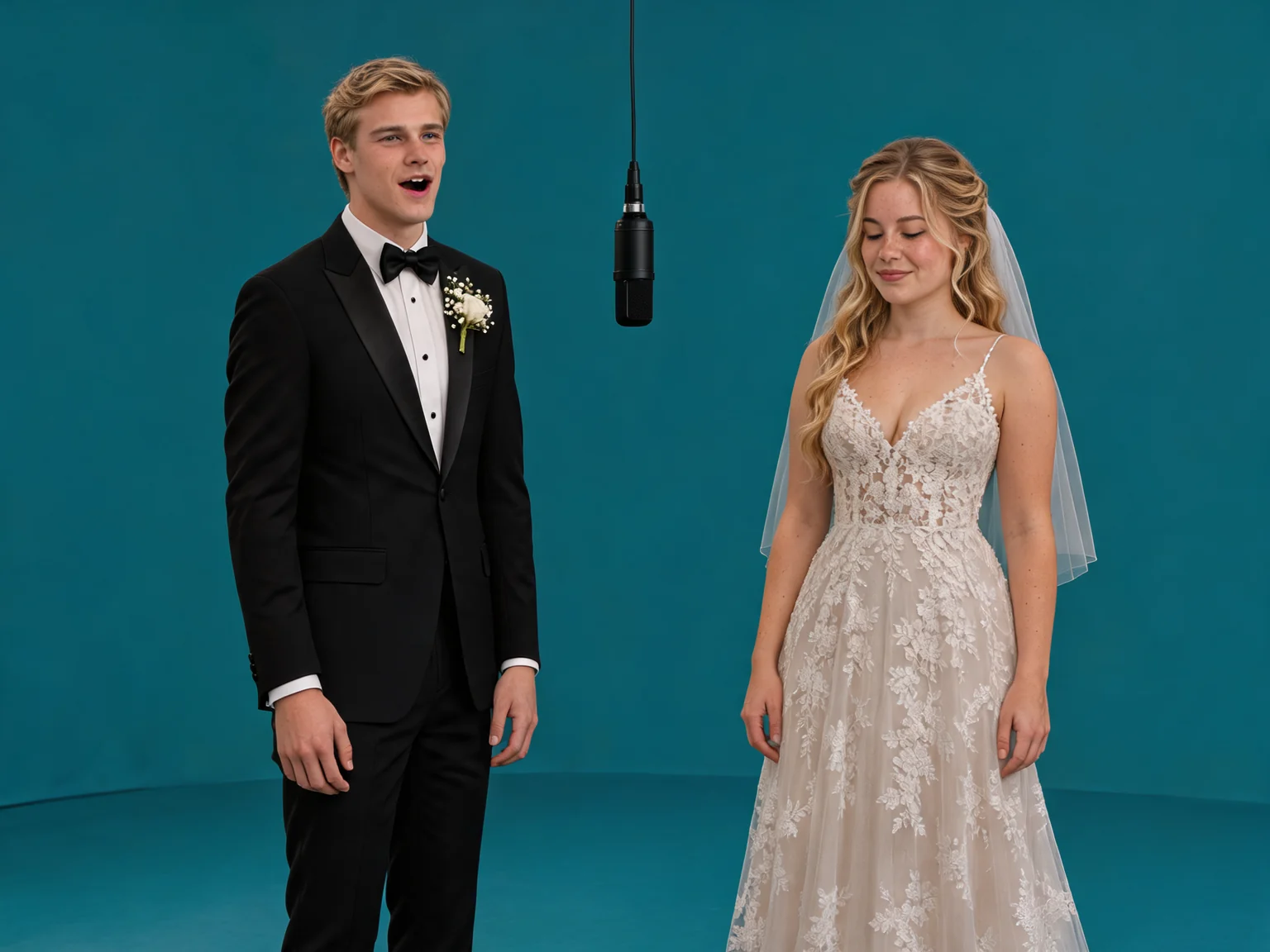
The public Media.io 58th Floor reference describes a teal studio with two performers and a suspended microphone. [1]
AIRAP builds a new duet around your two photos. Separate solo views and a wider ending give each performer a moment in the same studio.
Your performance sequence
- Opening
Establish the duo
A short two-shot introduces A and B in the teal studio under one microphone. [1]
- Solo turns
Give each lead the frame
In clips of 8 seconds or longer, A and B receive separate close-ups as their verses pass between them.
- Finale
Reveal the whole stage
The camera pulls back to include both full bodies, their feet and more teal space. The shorter cut uses fewer camera changes.
The look and performance
A shared teal space
The monochrome floor and backdrop keep the hanging microphone and the two performers at the center of the scene.
One lead at a time
Solo shots frame only the current lead, while the partner remains off-screen in the same physical position.
A noticeably wider ending
The final pullback reveals head-to-toe figures and floor shadows. Your portraits guide the subjects and their outfits rather than imposing wedding clothes.
Context and creative interpretation
The reference provides a visual direction, without supplying the original recording or promising an identical result. [1]
A greeting, a friendly exchange or a shared milestone works well as one concise topic for your own duet.
Questions about this theme
How many photos does 58th Floor need?
Two different individual photos, with one performer in each. A group photo is not a substitute for the two separate inputs.
How does the camera move?
At 8 seconds or longer, the direction moves from a brief two-shot to A alone, B alone and a full-body pullback. The five-second version simplifies this to an opening, A close-up and wide duet. Exact cuts can vary by generation.
Does this include the original song?
No. Audio, when enabled, is a newly generated English rap duet. The original 58th Floor recording, lyrics and artist voices are not supplied. You can also make a silent clip.
Sources & reference videos
- Media.io: 58th Floor visual reference
Visual direction · checked November 11, 2026